Marble Sort Level 273 Walkthrough & Solution
Marble Sort Level 273 walkthrough: feed the four front receivers to drop the 16-panel gate, unlock the right lane with Purple, then drain the four tunnels.
Levels · 273
Levels 460–460
Levels 487–487
Levels 500–500
Levels 517–517
Levels 550–550

Marble Sort Level 273 Walkthrough & Solution
Level 273 Board Overview: The Sixteen-Panel Gate
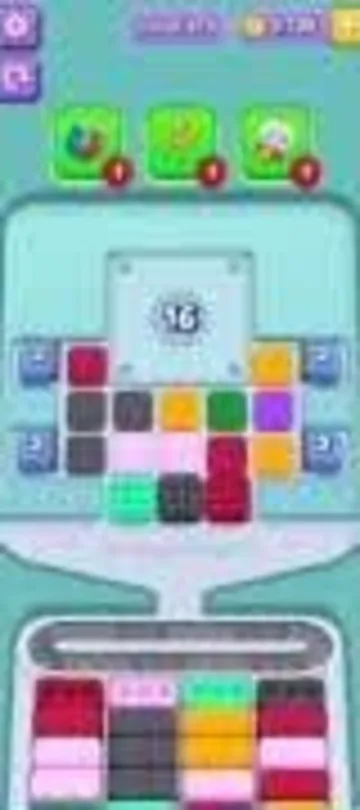
Level 273 is built around a giant grey panel marked 16. A U-shaped barrier of colored groups wraps around it, two wooden crates block the left and right sides, and four corner Tunnels hold their own batches. The opening tray shows Mint Green, Dark Grey, Light Pink, Dark Red, Orange, Purple, Blue, Green, and Yellow groups.
The four front receivers ask for Dark Red, Light Pink, Mint Green, and Dark Grey. Every matching clear reduces the 16-panel counter. Orange and Purple on the right look available, but they have no safe opening receiver and will jam the belt.
The Trap in Marble Sort Level 273
- The 16 panel is the opening target: do not attack the panel directly. It drops only after sixteen receiver clears.
- Orange and Purple are bait: the right side is visually open, but those groups have nowhere safe to go at the start.
- The Purple key is the midgame gate: after the panel breaks, the lower-right Purple group unlocks the sealed right lane.
Marble Sort Level 273 Step-by-Step Walkthrough
Opening: grind down the 16 counter

- Start with the Mint Green group low in the center and send it to the third receiver lane.
- Feed the adjacent Dark Grey group into the same lane when its receiver is ready.
- Clear the Light Pink group from the second tier of the tray.
- Send the Dark Red group into the first receiver lane.
- Continue alternating Dark Red, Dark Grey, Light Pink, and Mint Green. Each safe clear lowers the giant 16 counter.
Midgame: break the panel and use the Purple key
When the counter reaches zero, the grey panel shatters and exposes a cross-shaped inner grid. Fresh Blue, Green, and Mint Green groups appear in the upper left; Yellow and Orange open on the upper right. The lower-right Purple group carries the key that controls the sealed rightmost lane.
- Clear any remaining Dark Red and Dark Grey groups first so the belt has room for the new cross.
- Tap the Purple key group in the lower right of the revealed grid. Its clear releases the rightmost receiver lane.
- Move the newly available Orange groups into their receiver boxes instead of leaving them on the belt.
- Work through the exposed Green and Blue groups in matching runs. Keep the Yellow groups on hold until a Yellow receiver reaches the front.
Cleanup: empty the four tunnels
The four Tunnels now release their stored waves, so the board produces colors faster than the opening phase. Treat every tunnel drop as a timed batch: clear its matching receiver before the next batch occupies the belt.
- Match the upper-left Green, Blue, and Mint Green groups as their boxes cycle forward.
- Hold the upper-right Yellow until its receiver is active, then clear the remaining Light Pink and Mint Green pairs.
- Let the Tunnels finish their final waves, then clear the remaining Orange, Purple, and Yellow groups. The level completes when the right lane and the belt are empty.

Level 273 Tips Recap
- Work only Dark Red, Dark Grey, Light Pink, and Mint Green until the 16 counter reaches zero.
- Ignore the flashy Orange and Purple groups in the opening.
- Use the lower-right Purple key to open the right lane.
- Keep the belt clear while the four Tunnels drain their batches.
Related Articles
blog
Marble Sort Dispensers & Locks Guide: Key Order
Learn how Dispensers and Locks work in Marble Sort: find the hidden Key, use Pop-It and Numbered Dispensers without clogging the belt, and beat Level 805.
blog
Marble Sort Locked Pallet Guide: Key Queue Timing
Master the Locked Pallet in Marble Sort: how the key queue works, why keys ignore color, and the timing tricks that stop locked boxes from stalling your run.
blog
Marble Sort Tunnel Guide: Release Boxes Safely
Learn how the Marble Sort Tunnel works: what the number really means, how to release stored boxes safely, Timeout Tunnel rules, and smart clearing strategy.
Was this helpful?
Thanks for the feedback!